Destructive-editing
Add Control Points
Use loop cuts and extrusions (Ctrl+R and E)
Remove Control Points
Use dissolve (Shift+X)
Edit Wires
A wire is a chain of segments. To create one, in mesh editing you need to create a chain of vertices connected by edges. They represent the control points of the wire. Editing wires is then the same as editing a standard mesh plus assigning some attributes. By default, the chain represents a single Bezier segment (or a cyclic B-spline if closed).
Editing panel
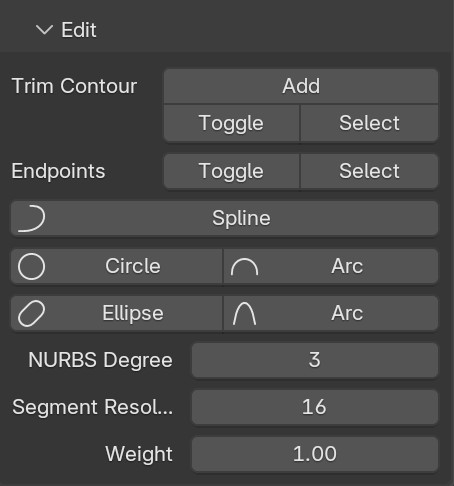
N panel > SurfacePsycho tab > Edit section in edit mode, gives you access to all the wire specific actions and properties.
Segment pie menu
Some properties are more accessible with Shift + F pie menu, the shortcut only works if the SP Mode is enabled (in edit mode).
Split into segments
For your wire to have several segment, each segment must be delimited by Endpoints.
Display Endpoints
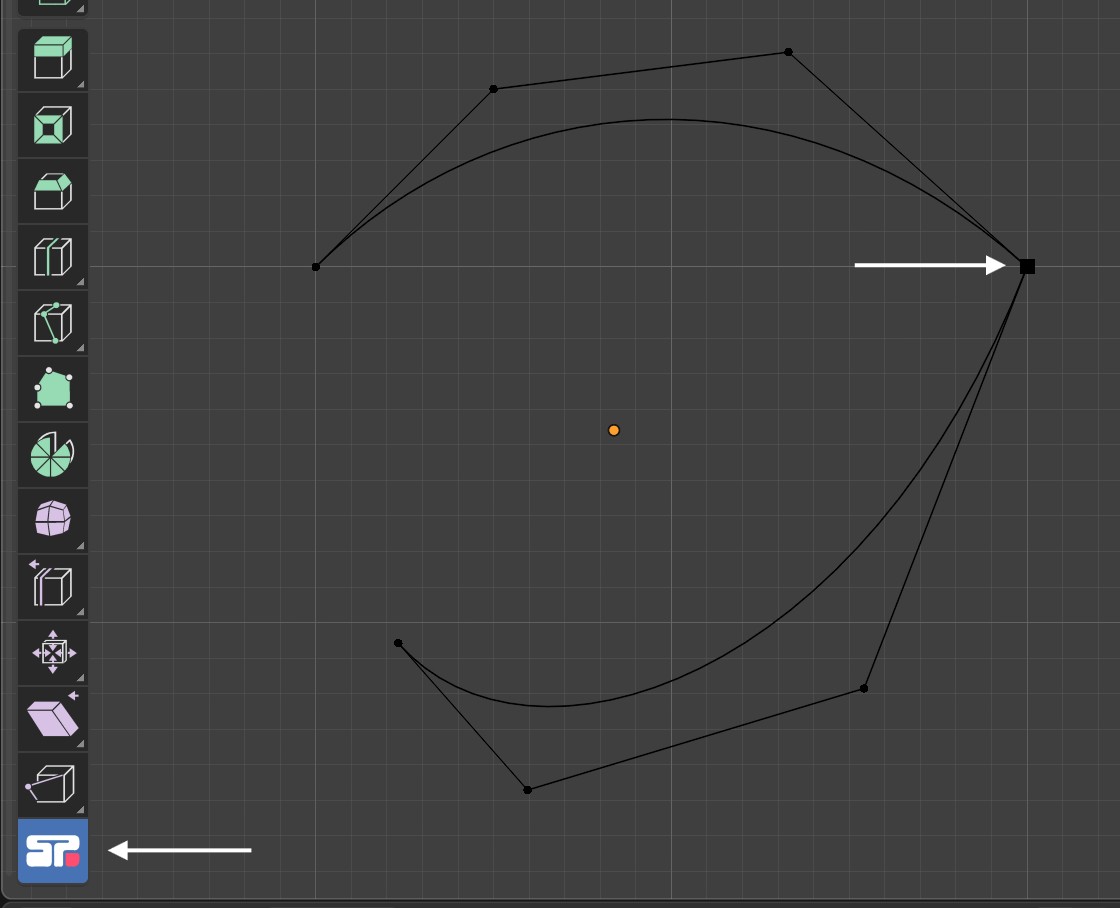
In edit mode, enabling the SP Mode tool in the left toolbar highlights vertices assigned as endpoints with black squares.
Assign and unassign Endpoints
To assign selected vertices as endpoints, use Shift + F + Drag down or from the panel Endpoints > Toggle. Both methods toggle the endpoint status, so to unassign, just do it again (the active vertex status decides which action to perform).
Change Segment Type
Again from the pie menu or the panel, you have a all the supported segment types (all types supported by the STEP format). To assign a type to a segment, select it's first point and select a type. An important current limitation is that you cannot differentiate between the first and last point. The best for the moment is then to test both and undo the wrong one :/
Change Segment resolution
Select the first point of a segment, go to the panel and change the values of Segment Resolution property.
Change Segment Degree
Select the first point of a segment, go to the panel and change the values of NURBS Degree property. You can also change the degree from the pie menu by dragging up on Spline and use the mouse wheel to change the degree.
Set Weight
To change the weight of control points, select them and go to the panel and change the values of Weight property. An important limitation is that currently an endpoint shared between two segment cannot have 2 different weights assigned.